
Purchase orders that carry your vendors' part numbers, receiving that checks against the order, and vendor bills on that order checked against both before anyone can pay them.
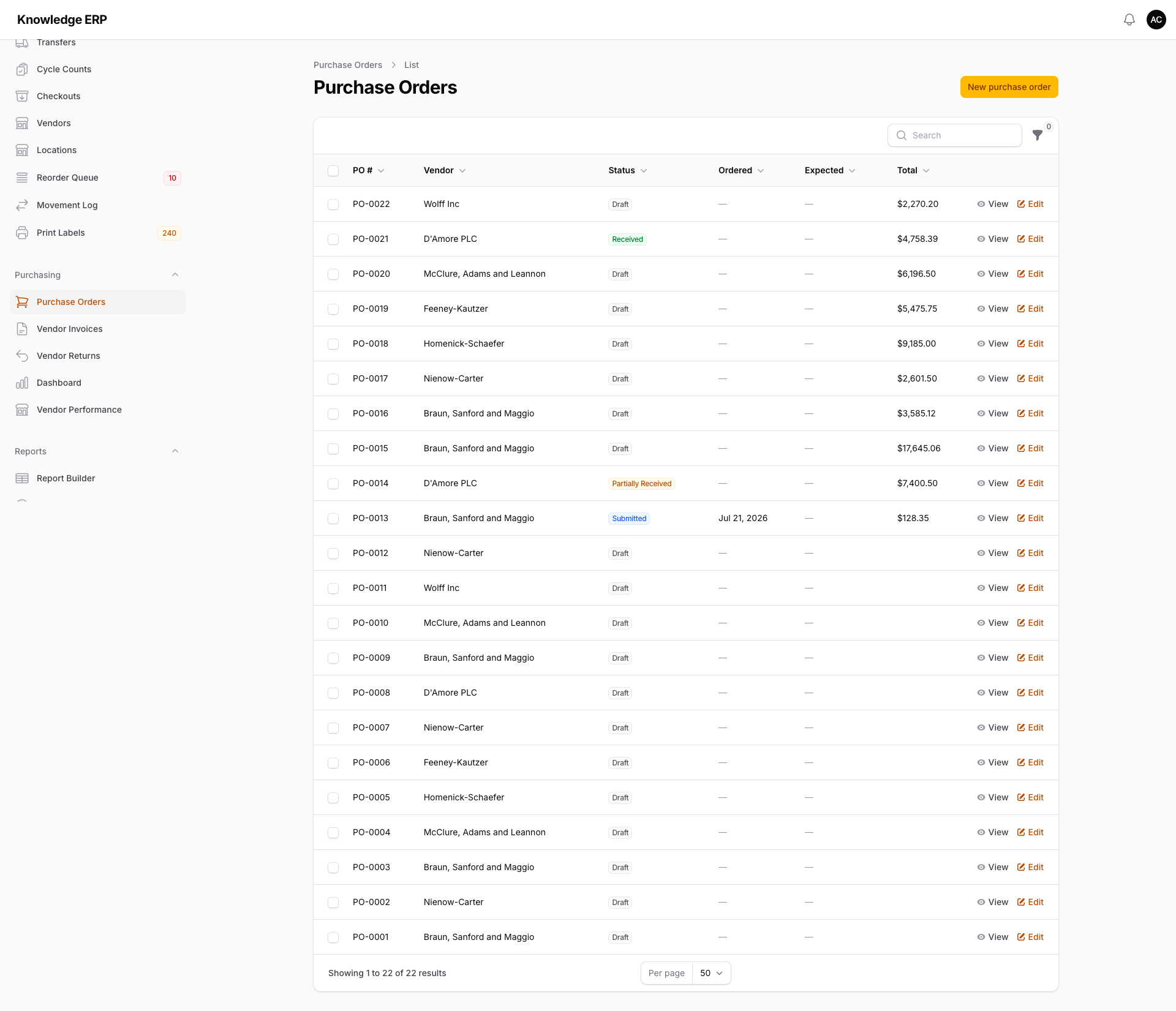
Inventory carries vendor records, vendor part numbers and reorder suggestions. Add Purchasing and those suggestions become draft purchase orders, ready for someone to check and submit.
Spend controls that actually control spend
Per-user limits
Each person has a purchase limit and an approval limit. An order over the submitter's limit waits for approval. Nobody approves their own order when somebody else could.
Three-way matching
Each line of a vendor bill is compared with what was received and the price on the order. A bill that charges for more is held out of payment until someone reviews it, with tolerances you set for the account or for each vendor. Overriding a hold needs permission and a written reason, and records who did it and when.
Receiving
Receive against the order, including partial receipts, so what hit the dock and what was promised never drift apart quietly. Receive part of a line, down to four decimal places, so 2.6 lb of a 3 lb order is recorded as it arrives. Freight, duty and other charges on an order are spread across its lines and become part of the cost of each received unit still in stock, which Inventory shows on the unit's page.
Vendor performance
An AP aging report, a bill exceptions queue, vendor returns and vendor performance reporting, so renewal conversations start with numbers. Send stock back with a vendor return, which takes the named units out of stock when it ships.
From low stock to a draft purchase order
Reorder suggestions land in a queue and become draft purchase orders straight from the low stock report. Automation rules can send purchase orders over a threshold for approval.
On Growth and Business, the REST API and a connected AI assistant can submit, approve and receive purchase orders, under the same limits as the screen.
$59 a month, plus seats
Either Purchasing or Inventory unlocks vendor records and vendor part numbers; together they close the reorder loop end to end. See the modules page for what is available today.
Common questions
Who approves an over-limit purchase order?
Anyone with approval authority for that amount at the order's Location. The order waits until one of them approves it, and nobody approves their own order when somebody else could.
What happens to a mismatched bill?
It is held out of payment and appears in the bill exceptions queue until someone reviews it. Overriding the hold needs permission and a written reason, and records who did it and when. Tolerances are set for the account or for each vendor.