
Inventory, sales, purchasing, appointments and surveys in one system today, with manufacturing and rentals following. Buy only the modules you need, pay one seat price for your whole team, and know where every single unit is.
Your card is charged only when the trial ends. Cancel before then and you pay nothing.
Subscriptions renew automatically until cancelled. By starting a trial you agree to the Terms of Service and Privacy Policy.
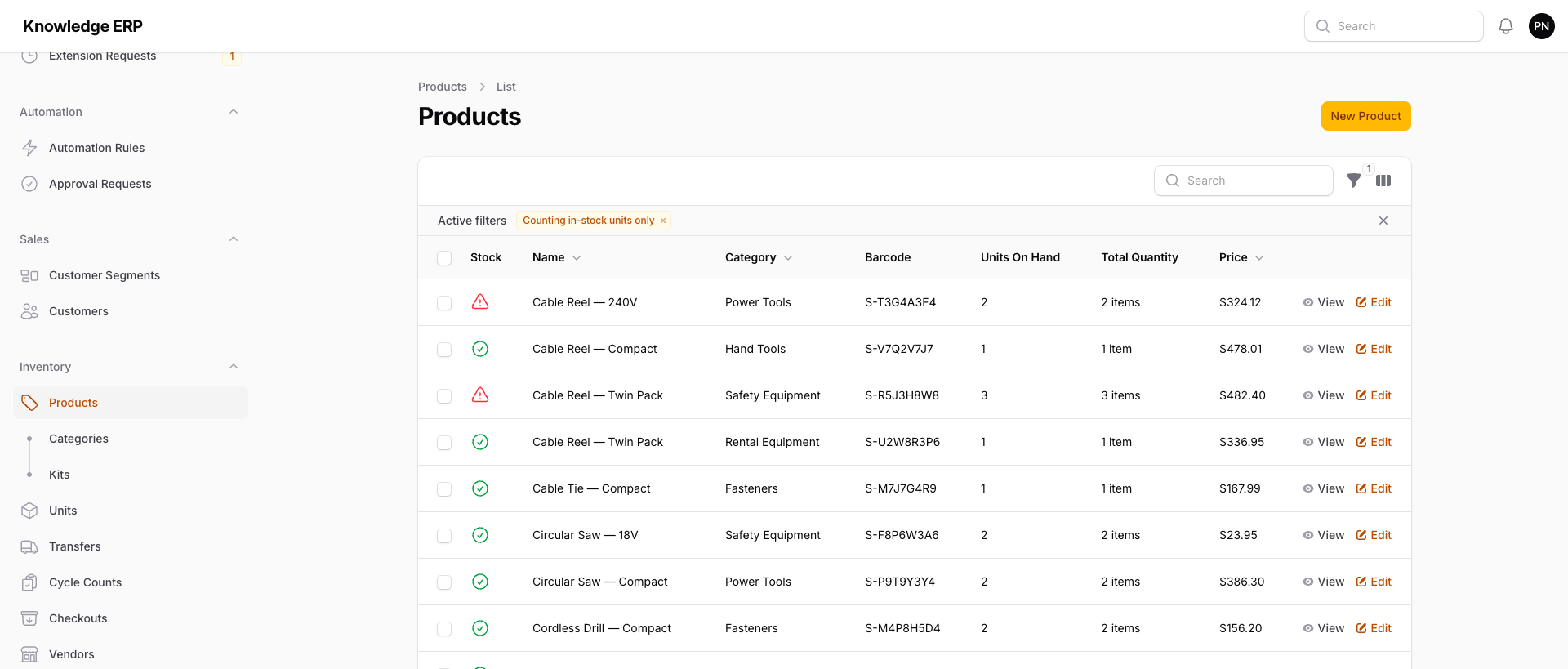
Pick your modules. Skip the rest.
Each module is a flat monthly price. Your seats work across all of them, so nobody pays twice to use two parts of the same system.
Inventory
Products, physical units, bins, lot and serial numbers, transfers, cycle counts, kits, barcodes and equipment loans. Every stock movement ties to a specific unit.
Learn more →🧾$69/moSales
Quotes, sales orders, invoicing, online payments, returns, a passwordless customer portal and a CRM pipeline with a Kanban board.
Learn more →🛒$59/moPurchasing
Purchase orders, receiving, approvals, per-person spend limits and vendor bills checked against the order and the receipt.
Learn more →🏭$79/moAvailable soonManufacturing
Work orders that consume specific component units, bills of materials, work centers, routing and quality checks.
Learn more →🔁$69/moAvailable soonRentals
Rental agreements with real availability checking, deposits, recurring rental invoicing and a rental calendar.
Learn more →📅$39/moAppointments
Public booking pages per location, questionnaires sent ahead of the visit, reschedule requests and staff assignment.
Learn more →📋$39/moSurveys
Branded surveys delivered automatically when business events happen, with reminders, expiry and response reporting.
Learn more →Every subscription includes the platform core: users and roles, per-location permissions, custom fields, a full change history with undo, CSV import and export, barcodes and label printing, reports, dashboards and automation rules.
Built for teams that track real things
Nonprofits
Track donated goods, program supplies and loaned equipment.
Learn more →Field service and trades
Track parts across vans, warehouses and job sites, and reorder before the truck runs dry.
Learn more →Low-voltage, AV and security installers
Check tools out to the tech who has them and keep spare stock counted by van.
Learn more →Equipment lending
Check equipment out to a named person with a due date and see who has every item right now.
Learn more →Guides: What a small business actually needs from an ERP · Cycle counting · What a lot number is · What kitting is · All use cases
Modules plus seats. That is the whole formula.
Pick your modules
Each one is a flat monthly add-on. Inventory is $89, Sales is $69, Appointments is $39. Prices stay the same on every tier.
Add your seats
One seat price covers every module you own, from $10 per seat on Starter to $15 on Business. No per-module seat charges.
Start free
30 days, full product. A solo operator running Inventory pays $99 a month after the trial. A 10-person team with Inventory and Sales pays $278.
Rules do the chasing for you
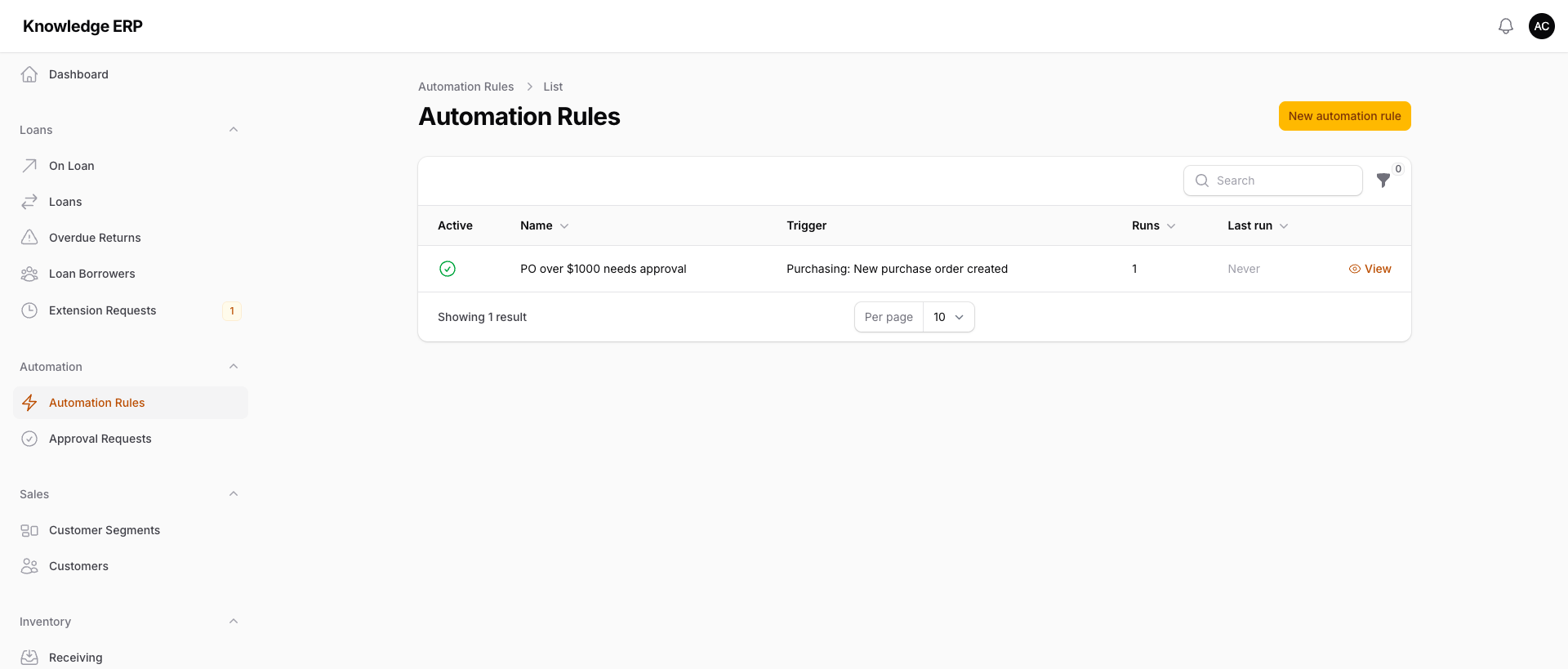
Build automation with a no-code rule builder: pick a trigger, add conditions, choose actions. Route purchase orders over a threshold to a manager, text a customer when their rental is due back, or email yourself a reorder digest on the mornings you choose.
- Per-person purchase limits and approval authority
- Email, SMS, record updates and webhooks as actions
- A full run log, so you can see what fired and why
Bills that do not match get held
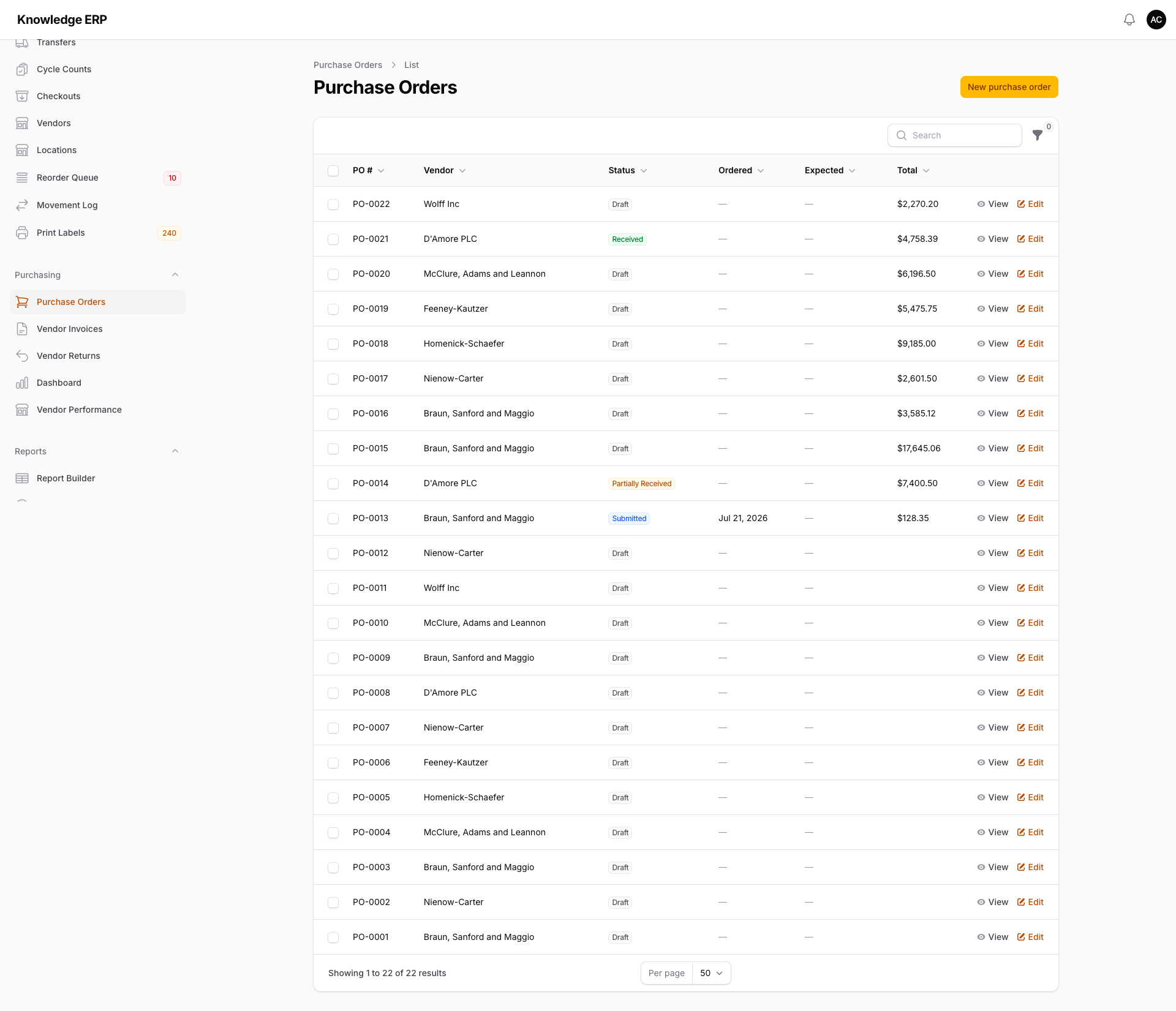
Receive against the purchase order, and each line of a vendor bill on that order is checked against what was ordered and what has been received. A bill that charges for more than was received, or above the order's price, is held out of payment until someone reviews it. Set the tolerances for the whole account or for each vendor, and an override needs a written reason and records who made it.
- Three-way matching with configurable tolerances
- Bill exceptions queue and AP aging report
- Vendor performance reporting built in
Know which lot shipped, and which unit went out on loan
Most inventory tools count quantities. Knowledge ERP tracks the physical unit: the specific drill that went to the Westside branch, the exact lot that expires in March, the laptop that went out on loan. That is what makes loans, expiring stock and recalls answerable questions instead of guesswork.
- Lot and serial tracking with expiry dates and alerts
- Transfers between locations with in-transit visibility
- A movement log recording every stock change, with who and when
- Asset checkout with due dates and a captured signature
Connect the tools you already pay for
Integrations are optional, connected by you, and can be disconnected at any time.
What we deliberately leave out
Some ERP vendors promise everything. We would rather tell you the boundaries before you move your data in. Knowledge ERP does not do payroll, full double-entry accounting, enterprise MRP-II planning or EDI. QuickBooks Online stays your accounting system of record, and we sync with it. If those gaps rule us out for you, that is a fair outcome, and this page just saved you a sales call.
Common questions
How does the free trial work?
You get 30 days with the full product. A card is collected at checkout and the first charge lands at the end of the trial. Cancel before then and you are not billed.
What counts as a seat?
Every person who logs into the platform uses a seat: the owner, managers and each employee with their own login. One seat price covers every module your account owns, so a warehouse lead who also approves purchase orders is still one seat.
Can I bring my existing data?
Yes. CSV import works across products, customers, vendors and more, with per-row failure reporting so you can see exactly which lines need fixing. Every table exports too.
Is there an API?
Yes, a versioned REST API with token authentication on the Growth tier and above, plus outbound webhooks. The API reference is generated from the code, so it stays accurate.
Which modules can I buy today?
Inventory, Sales, Purchasing, Appointments and Surveys. Manufacturing and rentals are marked Available soon above and cannot be added to a subscription yet. Tell us which one you need and we will let you know the day it goes live.
Can I add or drop modules later?
Yes. Modules are monthly add-ons, so you can start with Inventory and add Sales, Purchasing, Appointments or Surveys whenever you need them. See pricing for the current numbers.
Try it with your real inventory
Import a CSV of your products this afternoon and see your stock, reorder points and barcodes in Knowledge ERP before the week is out.
Subscriptions renew automatically until cancelled. By starting a trial you agree to the Terms of Service and Privacy Policy.